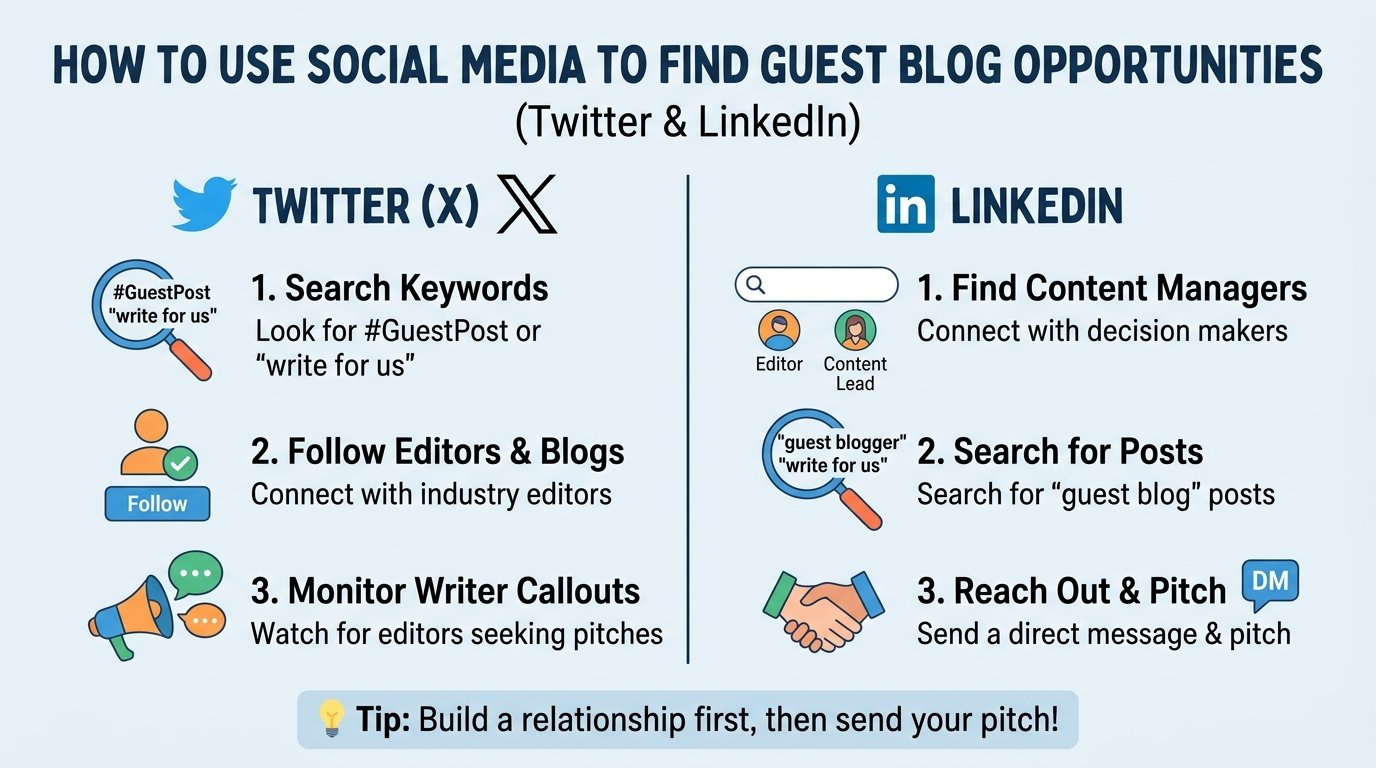


To find guest blog opportunities on social media, search X (Twitter) for posts where editors ask for contributors, and search LinkedIn for the editors and content managers who run the blogs in your niche. Then vet each lead and send a short, specific message. It costs nothing but time, and it surfaces sites that never show up in a “write for us” Google search.
This guide gives you the exact searches to run on both platforms, a 5-minute check to weed out bad sites, and a short message you can adapt. If you want the Google side of the same job, see our guide to Google search operators for write-for-us pages.
Why social media works for finding guest post opportunities
Google shows you sites that have a published “write for us” page. Social media shows you people, and people change their minds. An editor who tweets “we have two open guest slots this month” may have no public submission page at all. A marketing manager who posts on LinkedIn that they are “looking for expert contributors” is telling you the door is open today.
Social search also fixes the hardest part of outreach: knowing who to email. Posts and profiles show a real name, a role and what the person cares about, so you can write to them instead of to a generic inbox.
It is not a shortcut around quality, though. Anyone can post anything, so every lead still needs checking. We cover that below.
Before you start: set up a profile editors will trust
Editors will look at you before they reply. Spend 15 minutes on this first:
- Use a real name and photo. Anonymous accounts get ignored.
- Write a bio that says what you cover. “Roofing and home maintenance writer” beats “Marketer. Coffee lover.”
- Link to your best work. A blog, a portfolio page or a published article works. Without one, you are asking an editor to take a risk on you.
- Have a few recent posts. An empty account looks like a throwaway.
If you have no published writing yet, write one strong sample on your own site first. Our guide on what a guest post is explains what editors expect to see.
How to find guest post opportunities on Twitter (X)
Twitter is now called X, and many people still say “Twitter,” so editors use both words. The platform’s search box is where you look. Type your search into the search bar, then switch to the Latest tab so you see recent posts, not old ones.
Searches that surface open calls for guest posts
Start with phrases editors actually use. Put exact phrases in quotation marks and replace the topic words with your own niche.
"write for us" roofing"accepting guest posts" home improvement"looking for guest contributors" marketing"guest post" "open to pitches""submit a guest post" OR "guest post guidelines" small business
Run the same search with different phrasing: “guest contributor,” “contributed article,” “guest author,” “byline.” Each finds a slightly different group of posts.
Useful filters
X supports search operators that narrow results. The ones below are the most useful for this job. X changes its search features from time to time, so if one stops working, open Advanced Search from the search results page and use the form fields instead.
| Operator | What it does | Example |
|---|---|---|
"exact phrase" |
Matches the words in that order | "write for us" |
OR |
Matches either term | "guest post" OR "guest author" |
-word |
Leaves out posts with that word | "guest post" -casino |
-filter:replies |
Hides replies so you see original posts | "guest contributors" -filter:replies |
filter:links |
Only posts that contain a link, often to a submission page | "write for us" filter:links |
since:YYYY-MM-DD |
Only posts from that date onward | "guest post" since:2026-09-01 |
min_faves:N |
Posts with at least N likes, to skip noise | "guest post" min_faves:3 |
from:username |
Posts from one account | from:editorname "guest" |
A full example: "accepting guest posts" OR "write for us" roofing -filter:replies filter:links since:2026-09-01. That returns recent original posts that mention your niche and link somewhere, which is usually a submission page or a call for pitches.
Lists and hashtags
Hashtags such as #guestpost or #guestblogging bring up a lot of spam, so use them only alongside a niche word. A better move is to follow the editors and publications you find, then put them in a private list. Check the list each week and you will see calls for contributors as they appear.
How to find guest post opportunities on LinkedIn
LinkedIn is better for finding the people behind a site. It is also where many B2B and professional blogs post their calls for contributors.
Search posts for calls and editors
Type a phrase into the search bar, press Enter, then choose the Posts filter. Use a date filter such as “Past month” so you see current calls. Try:
guest post+ your nichelooking for contributorsaccepting contributed articlesguest author+ your industry
LinkedIn’s search matches the words you type, so a post phrased differently will not appear. Run several variations. Some people also use Google with site:linkedin.com/posts plus a phrase to search public posts, but coverage is incomplete.
Search people for editors and content leads
Switch the filter to People and search for job titles in your niche, for example:
managing editor home servicescontent manager+ the industry you write forhead of content+ a software categoryeditor-in-chief+ your topic
Open each profile and check the company website. If the site publishes articles from outside writers, you have found a lead and a name to address. Our outreach guide covers how to confirm the right contact before you write.
Ahrefs also suggests searching LinkedIn or X to find a site’s managing editor or head of content when the team page does not list one, in its guest blogging guide.
Groups and your own feed
Industry groups sometimes have threads where site owners ask for contributors. Join two or three that match your niche and read before you post. Following the editors you found also puts their calls for writers in your feed.
Twitter vs. LinkedIn at a glance
| X (Twitter) | ||
|---|---|---|
| Best for | Finding open calls and small to mid-size blogs | Finding editors and content leads at professional and B2B sites |
| Tone | Short, direct, a little casual | Professional, specific about your expertise |
| Strongest search | Exact phrases with filters | Posts filter plus People search by job title |
| Main risk | Spam and fake “guest post” offers | Cold messages from strangers get ignored |
| First move | Reply with something useful, then DM if invited | Follow, engage briefly, then send a short message |
Use both. Twitter tends to give you leads quickly, and LinkedIn tells you who to contact.
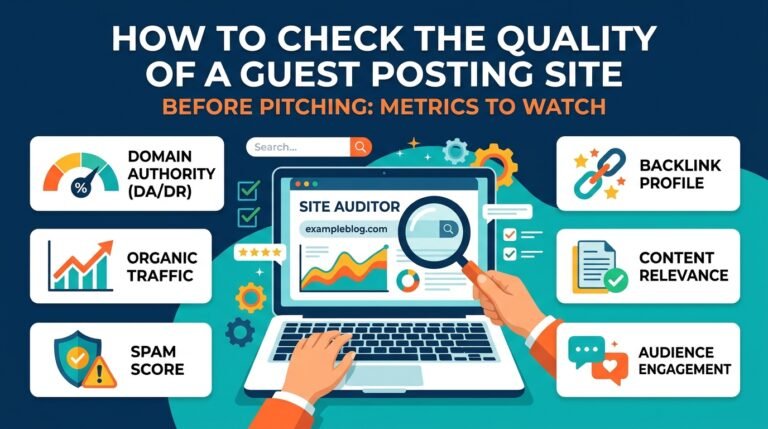
Vet every lead in 5 minutes before you pitch
A lead from social media is only a lead. Before you write to anyone, run this quick check:
- Read three recent articles. Are they useful and written by real people? Thin, repetitive posts are a warning sign.
- Check the topic fit. Would your article make sense next to what they publish?
- Look for a real audience. Real comments, shares and a clear niche matter more than a number on a tool. Our guide on how to check if a guest post site has real traffic shows how.
- Scan the outgoing links. If posts are packed with links to casinos, loans or unrelated products, skip the site.
- Look for a “sponsored” pattern. A site that sells posts openly is not wrong in itself, but it changes how the link must be handled (see the section on paid placements below).
For a deeper score, use the 10-point site quality scorecard. If building and vetting a list sounds like more hours than you have, you can browse vetted sites in our guest post marketplace instead.
Worked example: a Phoenix roofing company
This is an illustration, not a real client. Say you run a roofing company in Phoenix and want to write for home-improvement blogs.
On X: you search "write for us" roofing OR "home improvement" -filter:replies filter:links since:2026-09-01. You find a post from a regional home-maintenance blog asking for “homeowner-focused contributors.” The link goes to a short submission page.
Vetting: you read three recent articles. They are practical, written by named authors, and cover things like monsoon-season roof checks. The topic fits.
On LinkedIn: you search People for managing editor home services and find the blog’s editor. Her profile confirms she runs the site’s contributor program.
Outreach: you follow her, react to a recent post of hers, and a day later send a three-sentence message with one specific idea: “How to spot hail damage before an insurance claim.” You offer an outline, not a finished article.
That is the whole process: find the call, vet the site, find the person, pitch one idea.
How to approach an editor without sounding like spam
Social media makes it easy to message anyone, which is why editors get a lot of bad messages. A few habits separate you from them.
Engage before you ask. Follow the editor and leave one genuine comment on something they posted. Do not do this ten times in a row. One real comment is enough.
Keep the first message short. Say where you saw their call, who you are, one specific idea and one proof of your work. A sample you can adapt:
Hi Maria, I saw your post asking for homeowner-focused contributors. I run a roofing company in Phoenix and write about roof care. One idea for your readers: “How to spot hail damage before you file a claim.” Here is a recent article of mine: [link]. Happy to send an outline if it is a fit.
Do not lead with a link request. Do not ask for a particular anchor text or a link swap in the first message. Our guide to guest post pitching mistakes explains why those pitches get ignored, and our pitch email templates give you longer versions for email.
Follow up once. If there is no reply after about a week, send one short follow-up. If there is still nothing, move on.
A note on paid placements
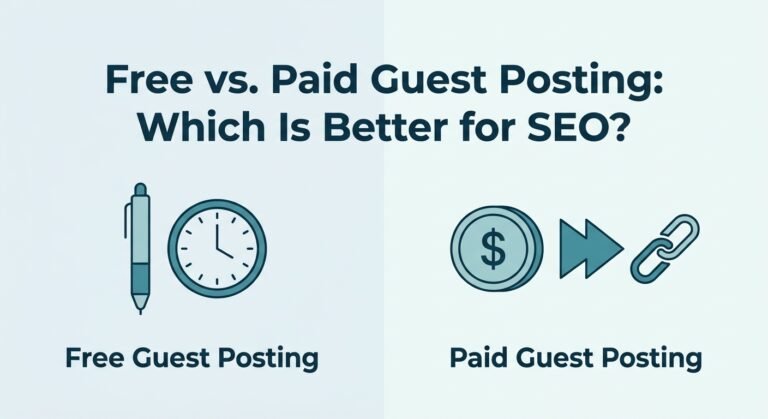
Some of the sites you find will ask for payment. Google’s spam policies say that buying or selling links that pass ranking credit is link spam, and that paid guest posts with ranking-passing links or keyword-rich anchor text count as spam. Links that come from sponsorships or advertising are fine when they are marked with rel="nofollow" or rel="sponsored". Read the Google spam policies yourself, and see our comparison of free vs. paid guest posting.
Build a simple tracking sheet
Keep a spreadsheet with one row per lead. Useful columns: site, editor name, where you found them (X or LinkedIn), date you messaged, idea pitched, reply, and next step. It stops you pitching the same person twice and shows which platform actually works for your niche.
Common mistakes
- Mass-sending the same DM. Editors spot copy-and-paste messages immediately.
- Skipping the vetting step. A friendly reply from a poor site still costs you time and can hurt your reputation.
- Pitching in public replies. Reply publicly only with something useful, then move to a DM if the editor invites it.
- Trusting any “guest post” account. Some accounts only sell links. Check the site before you reply.
- Giving up after one platform. Twitter and LinkedIn give different kinds of leads, so run both.
Frequently asked questions
Can you find guest post opportunities on LinkedIn?
Yes. Use the Posts filter to find calls for contributors, and the People filter to find editors and content managers at sites in your niche. LinkedIn is better at telling you who to contact than at listing open sites.
What should I search on Twitter to find guest posts?
Search exact phrases such as “write for us,” “accepting guest posts” and “looking for guest contributors” alongside your niche word. Use the Latest tab and filters like -filter:replies and since: so you see recent original posts.
Is it okay to DM an editor to pitch a guest post?
It is fine when you keep it short, personal and specific to what they publish. Mass DMs and generic pitches get ignored or reported. A brief email is often better once you have the editor’s address.
How do I know if a site found on social media is worth writing for?
Read three recent articles, check that the topic fits, look for a real audience and scan the outgoing links. If the site publishes thin posts or links to unrelated products, skip it.
Can I pay for a guest post I found on social media?
You can, but links in paid posts should be marked rel="sponsored" or rel="nofollow". Google treats paid links that pass ranking credit as link spam.
How long does it take to hear back?
It varies by site, and some editors never reply. A reasonable approach is one message, one follow-up about a week later, then move on to the next lead.
Turn your list into published guest posts
Social media gives you a steady stream of leads, but vetting, pitching and following up still take hours each week. If you would rather skip the list-building, NextGen Digital can place your article, or your link in an existing article, on real sites that we have already checked. See our guest post and link insertion service.