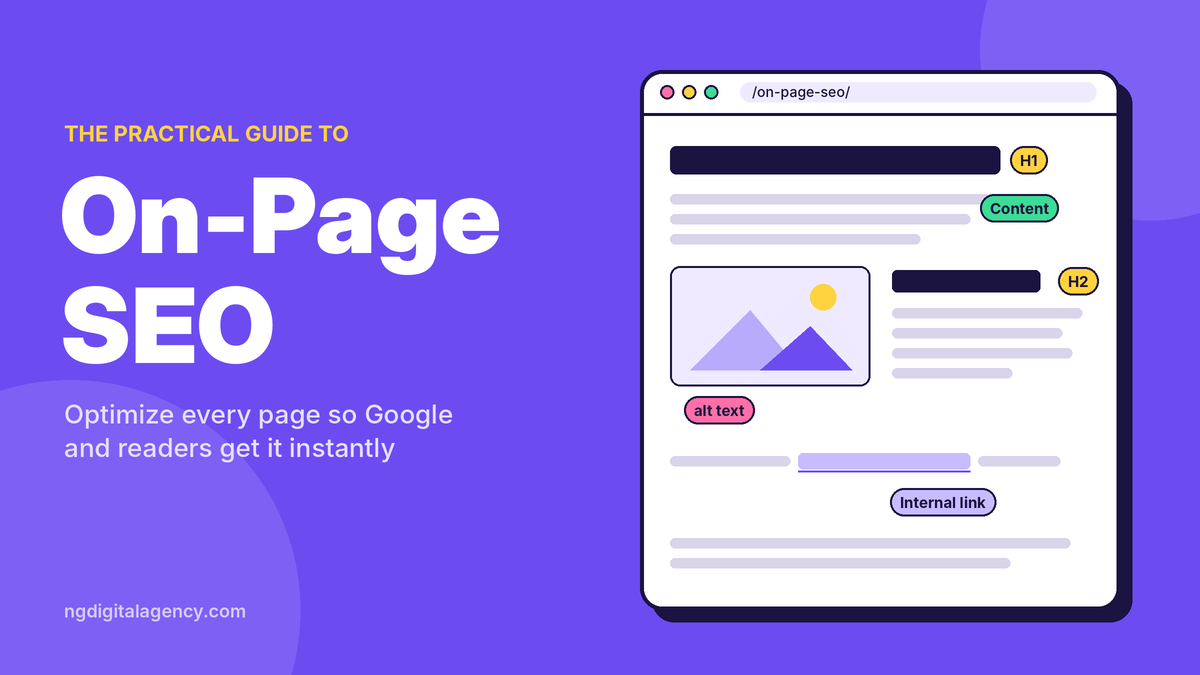


On-page SEO is the work you do on a web page itself, its content, title, headings, links and images, so search engines understand what it’s about and searchers want to click and stay. It’s the part of SEO you have the most control over, and for most small business websites it’s where the quickest wins are.
If you’re new to the topic, start with our guide on what SEO is. This article goes page by page: what to change, why it matters, and what you can safely ignore.
On-page SEO vs off-page SEO vs technical SEO
SEO work usually falls into three groups. They overlap, but each answers a different question.
| On-page SEO | Technical SEO | Off-page SEO | |
|---|---|---|---|
| The question it answers | Is this page the best answer to the search? | Can Google find, load and store the page? | Do other sites trust and mention you? |
| Examples | Content, title, headings, internal links, alt text | Indexing, site speed, mobile, redirects, sitemaps | Backlinks, reviews, brand mentions, guest posts |
| Who controls it | You, page by page | You, usually site-wide (often with a developer) | Partly others |
| Typical tools | Your CMS, Google Search Console | Search Console, PageSpeed Insights | Link research tools, outreach |
This guide covers on-page SEO. Technical items get a short mention where they affect a single page.
Why on-page SEO matters
Google’s first job when ranking results is matching meaning and relevance: working out what the searcher wants and finding pages that clearly cover it. On-page SEO is how you make that match obvious. (We explain the full process in how SEO works.)
It also shapes the click. Your title and description are often what people see in the results. A clear, specific title can win the click even if you’re not in the top spot.
And it’s the base for everything else. Links from other sites help a page that already answers the search well. They do much less for a page that doesn’t.
Start with search intent
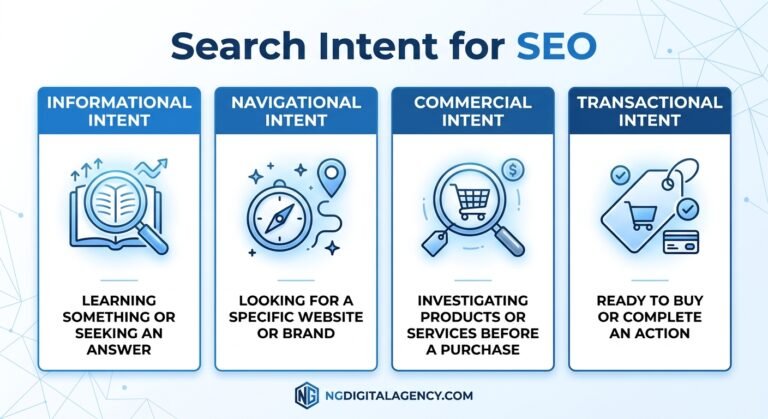
Before editing anything, look at what Google already shows for your keyword. The results tell you what kind of page searchers expect.
- Informational (“how to unclog a drain”): guides and how-tos
- Commercial (“best water heater brands”): comparisons and reviews
- Transactional or local (“emergency plumber Houston”): service pages, maps and phone numbers
If the top ten are all service pages with prices, a 2,000-word history of plumbing won’t rank, however well optimized it is. Match the format first, then make yours better.
The on-page SEO elements that matter
Title tag
The title tag (the <title> element) is the strongest single on-page signal you control, and it’s often the headline people see in search results.
- Describe the page specifically. “Emergency Plumber in Houston | 24/7 Service” beats “Home | Smith Plumbing”.
- Put the main topic near the start.
- Give every page its own title. Google warns against identical or near-identical boilerplate titles.
- Add your brand at the end with a separator, such as a hyphen or pipe.
- Keep it concise. Google sets no hard limit but cuts titles to fit the screen. Around 50–60 characters usually shows in full.
Google sometimes rewrites titles. According to its title link documentation, common triggers are titles that are half-empty, inaccurate, stuffed with keywords, contain outdated dates, or don’t match the main heading on the page. Write a title that matches the page, and Google has little reason to change it.
Meta description
The meta description is a short summary that Google may show under your title. It isn’t a ranking signal, but it can earn the click.
- Write a unique one for each important page. Prioritize your homepage, service pages and top posts.
- Summarize what the page offers and include useful specifics: service area, opening hours, price range, or what the guide covers.
- Avoid lists of keywords. Google says they don’t tell users what the page is about.
Google’s snippet documentation says there’s no length limit, but long descriptions get cut off. Aim for one or two sentences, roughly 140–160 characters, and don’t be surprised when Google writes its own snippet from your page for some searches.
H1 and subheadings
Use one clear H1 that matches the topic of the page, usually close to your title. Then break the page into sections with H2s and H3s that describe what each section covers.
Good headings help readers scan and help Google understand the page’s structure. “Our Services” says little. “Water Heater Repair and Replacement” says exactly what’s there.
The content itself
This is where most rankings are won or lost. Google’s guidance on helpful, people-first content comes down to a few questions:
- Does it answer the question fully, so the reader doesn’t need to search again?
- Does it add something original: your own experience, photos, prices, process or data?
- Is it accurate, clearly written and easy to read?
- Is it clear who wrote it and why they’re qualified?
Practical tips:
- Answer the main question near the top. Don’t make readers scroll past an intro to find it.
- Use the words your customers use, and related terms naturally. You don’t need to repeat the exact keyword a set number of times.
- Show experience. A roofing company’s photos of its own jobs say more than stock images.
- Keep it current. Update prices, dates and details when they change.
URL slug
Keep URLs short, readable and descriptive: /water-heater-repair/ rather than /page?id=482. Google says keywords in URLs have very little ranking effect, so this is mainly for people. Avoid changing old URLs just to add keywords; if you must change one, redirect the old address.
Internal links
Internal links connect your pages. They help Google find pages and understand how they relate, and they guide readers to the next step.
- Link from relevant pages. Your “water heater repair” page should link to “tankless water heater installation” and back.
- Use descriptive anchor text. “See our tankless installation service” is clearer than “click here”.
- Make sure important pages are linked from your navigation or other strong pages. A page with no internal links is hard for anyone to find.
Images and alt text
Images make pages easier to understand and can bring traffic from image search. Google’s image SEO guidance recommends:
- Descriptive alt text that explains the image in context, for example “technician installing a tankless water heater in a garage”. Don’t stuff it with keywords.
- Descriptive file names such as
tankless-water-heater-install.jpg, notIMG00023.jpg. - Placing images near related text.
- Compressed files in modern formats such as WebP, so pages load quickly.
Outbound links
Linking to trustworthy sources, such as an official code, a manufacturer’s guide or government data, helps readers check your claims. Link where it genuinely helps.
If a link is paid or part of a sponsorship, Google’s spam policies require it to carry rel="sponsored" or rel="nofollow".
Page experience basics
These are partly technical, but they show up on every page:
- The page works well on a phone
- It loads quickly
- Pop-ups don’t block the content
- It uses HTTPS
To check these across your whole site, use our SEO audit checklist.
Before and after: a plumbing service page
Here’s an illustrative example of on-page SEO on one page.
A family-run plumbing company in Houston has a water heater page that gets almost no search traffic.
| Element | Before | After |
|---|---|---|
| Title | Services – Smith Plumbing | Water Heater Repair in Houston | Same-Day Service – Smith Plumbing |
| Meta description | None (Google pulls random text) | Water heater not heating? Our licensed Houston plumbers repair and replace tank and tankless units, often same day. See prices and book online. |
| H1 | Welcome! | Water Heater Repair and Replacement in Houston |
| Content | 120 words about the company’s history | Common problems and fixes, repair vs replace guidance, typical price ranges they actually charge, service area, photos of real jobs, FAQs |
| URL | /services-2/ | /water-heater-repair-houston/ (old URL redirected) |
| Internal links | None | Links to tankless installation, emergency plumbing and the contact page |
| Images | IMG_4471.jpg, no alt text | tankless-water-heater-repair-houston.webp with descriptive alt text |
Nothing here is a trick. The new page simply answers what a Houston homeowner with a broken water heater wants to know, and makes that obvious to Google. After a change like this, watch impressions and clicks for the page in Google Search Console over the following weeks.
What on-page SEO doesn’t need
Some popular advice wastes time. Google’s own documentation, including its SEO Starter Guide, covers most of these:
- Keyword density. There’s no ideal percentage. Repeating a keyword over and over is keyword stuffing, which is against Google’s spam policies.
- “LSI keywords.” It’s a term from SEO tools, not something Google documents. Google’s systems understand synonyms and related ideas on their own, so just cover the topic naturally.
- A magic word count. Google says it has no preferred word count. Write as much as the topic needs.
- The meta keywords tag. Google ignores it.
- Exact character limits. Titles and descriptions are cut by screen width, not a strict character count. Ranges are guides, not rules.
On-page SEO checklist
Work through this for each important page:
- Intent: does the page match the type of results Google shows for its keyword?
- Title: unique, specific, main topic near the start, brand at the end.
- Meta description: unique summary with useful specifics.
- H1: one clear heading that matches the title’s topic.
- Subheadings: descriptive H2s and H3s that make the page easy to scan.
- Content: answers the main question early, covers related questions, includes original details.
- URL: short and readable.
- Internal links: at least a few relevant links in and out, with descriptive anchors.
- Images: descriptive file names and alt text, compressed files.
- Outbound links: trustworthy sources where they help; paid links marked.
- Mobile and speed: check the page with PageSpeed Insights.
- Indexing: confirm with Search Console’s URL Inspection tool that the page is on Google.
When to get help
Most business owners can handle on-page SEO for a handful of pages themselves with this checklist. It gets harder when you have dozens of pages, aren’t sure which keywords to target, or suspect technical problems are holding pages back.
If you’d like a second pair of eyes, our SEO audit reviews your technical, on-page and content issues and gives you a fix list ordered by expected impact.
FAQs
What is on-page SEO in simple words?
On-page SEO means improving the parts of a web page you control, like the content, title, headings, links and images, so search engines understand it and people want to click and read it.
What’s the difference between on-page and off-page SEO?
On-page SEO is what you change on your own pages. Off-page SEO is what happens elsewhere, mainly other websites linking to and mentioning you. You need both, but on-page usually comes first.
What are the most important on-page SEO factors?
Matching search intent and writing genuinely helpful content matter most. After that come a clear title tag, a descriptive H1 and headings, good internal links, and images with useful alt text.
Is the meta description a ranking factor?
No. Google doesn’t use it to rank pages, but it may show it in results, so a clear description can help more people click.
How long should a title tag be?
Google has no strict limit, but it cuts titles to fit the screen. Around 50–60 characters usually displays in full, and a concise, specific title is better than a long one.
How long does on-page SEO take to show results?
Google has to recrawl the page first, which can take days to weeks. Some changes show quickly; others take months, especially in competitive searches. Check Search Console a few weeks after a change.
The short version
On-page SEO is making each page the clearest, most useful answer to the search it targets, and making that obvious to Google with a good title, headings, links and images. Start with your most important pages, work through the checklist, and measure in Search Console.
When your pages are in shape, links from relevant sites help them go further. Start with an SEO audit, then see how our guest posts work on traffic-checked websites.