

To improve your Google ranking, first find out what is actually holding your site back, then fix it in order: make sure Google can index your pages, match each page to what searchers want, make it the best answer, and then earn links from relevant sites. Most sites skip the diagnosis and jump straight to tips, which is why so much SEO effort goes nowhere.
This guide gives you a practical 8-step plan, using free Google tools for almost all of it.
Quick answer
Google ranks the pages it believes best answer a search. Its own explanation of how results are ranked comes down to five things: what the search means, how relevant your page is, its quality, how easy it is to use, and the searcher’s context, such as location. (We explain each one in how SEO works.)
So improving your ranking means improving how well your pages do on those five things, starting with whichever one is weakest.
First, find out why you’re not ranking
Different problems need different fixes. Before you change anything, match your situation to one of these.
| What you see | Likely cause | Start with |
|---|---|---|
| Your page doesn’t appear on Google at all | Not indexed (blocked, noindex, or not found yet) | Step 1 |
| You get impressions but almost no clicks | Ranking on page 2 or a weak title in results | Steps 2 and 5 |
| You rank for odd searches, not the ones you want | Page targets the wrong keyword or intent | Steps 3 and 4 |
| Competitors with thinner pages outrank you | Different page type, or they have more trust and links | Steps 3 and 7 |
| Rankings dropped suddenly | Technical change, lost pages, or a Google update | Steps 1 and 8 |
| Pages load slowly or break on phones | Page experience problems | Step 6 |
If you’d rather have someone go through this for you, our SEO audit checks your technical, on-page, content and link issues and ranks the fixes by expected impact.
How to improve your Google ranking in 8 steps
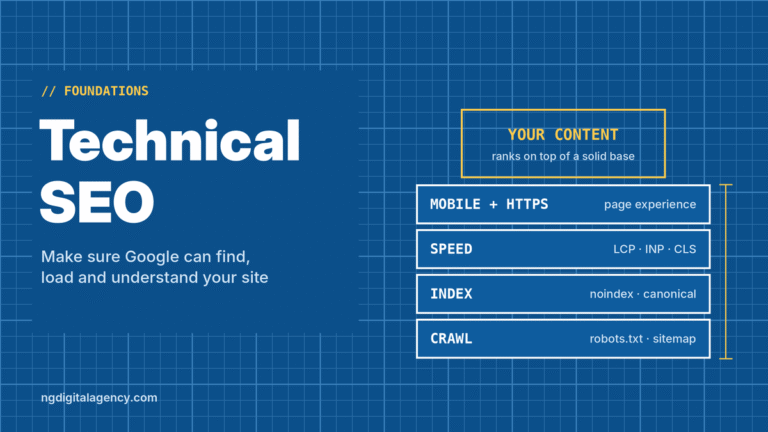
1. Make sure Google can find and index your pages
A page that isn’t in Google’s index can’t rank, however good it is. Google’s SEO Starter Guide suggests a quick test: search site:yourdomain.com to see which pages Google has.
For a specific page, use the URL Inspection tool in Google Search Console. It tells you whether the page is indexed and, if not, why. The usual culprits are a leftover noindex tag, a robots.txt block, or a page with no internal links pointing to it.
Our technical SEO guide covers these checks in detail.
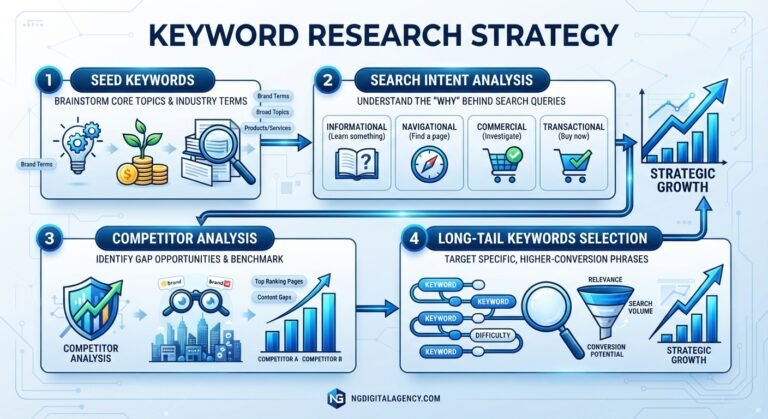
2. Find the searches you almost rank for
The fastest wins are usually searches where you’re already close. Open the Performance report in Search Console and look at queries with plenty of impressions but few clicks.
Sort by average position and focus on queries ranking roughly 8 to 20: the bottom of page one and the top of page two. Google already connects these searches with your site. Improving the matching page often moves it further than writing something new.
If you don’t know which searches you should be targeting at all, start with our keyword research guide.
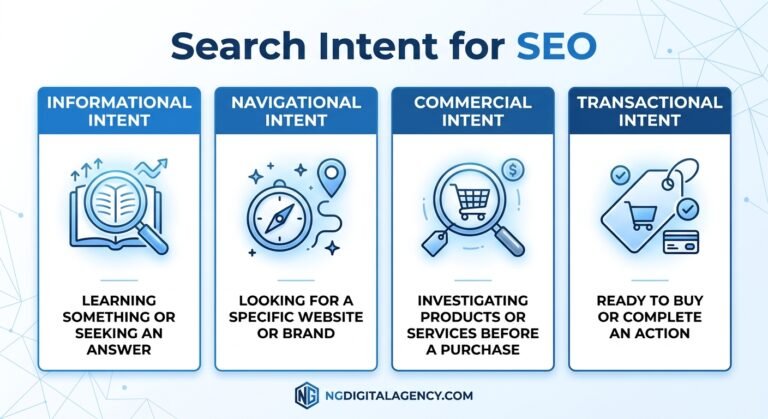
3. Match each page to search intent
Search your target keyword and look at the first page of results. Are they guides, service pages, product pages or local listings with a map?
If every result is a service page and yours is a blog post, you’re competing in the wrong category. Rebuild the page as the type Google already rewards, or target a different keyword that fits the page you have.
4. Make each page the best answer
Once the page type is right, make it better than what’s ranking. Google’s starter guide says compelling, useful content will likely influence your search presence more than anything else it covers. In practice that means:
- Answer the main question near the top. Don’t make readers scroll past an intro.
- Add what only you know: your prices, process, photos of real work, local details and common customer questions.
- Keep it current. Update dates, prices and details that have changed.
- Show who’s behind it. A named author or business with clear contact details builds trust.
5. Tighten titles, headings and internal links
These are small edits with real impact:
- Title tag: specific, unique, with the main topic near the start. It’s often the headline people see in Google, so it affects clicks too.
- Headings: one clear H1, then H2s that describe each section.
- Internal links: link to your important pages from related pages using descriptive anchor text, not “click here”.
Our on-page SEO guide walks through each element with a before-and-after example.
6. Fix speed and mobile problems
When pages are otherwise similar, the easier one to use can win. Run your key pages through PageSpeed Insights and check them on your own phone. Fix the obvious problems first: oversized images, pop-ups that block content, and buttons that are hard to tap.
You don’t need a perfect score. You need pages that load quickly and work well for real visitors.
7. Earn links and mentions from relevant sites
Links from other websites help Google discover your pages and judge how much they’re trusted. A handful of links from relevant, real websites is worth more than many from low-quality sites. For a step-by-step approach, see our 90-day link building plan for small businesses.
Good ways to earn them include local business associations, suppliers and partners, digital PR, genuinely useful resources, and guest posts on relevant sites. For local businesses, a complete Google Business Profile and genuine customer reviews also matter.
One rule applies to any link you pay for. Google’s spam policies treat buying links that pass ranking credit as link spam. Paid placements are fine when the link carries rel="sponsored" or rel="nofollow". For anchor text, your brand name, your URL or a descriptive phrase is safer than repeating your exact target keyword. Our off-page SEO guide covers which tactics work and which backfire.
8. Measure, wait, and repeat
After each round of changes, give Google time. Its starter guide says some changes take effect in a few hours and others take several months, and suggests waiting a few weeks before judging.
Track the same pages in Search Console each month: impressions first, then average position, then clicks. Then go back to the diagnosis table and pick the next weakest area.
Example: a pest control company in Tampa
Here’s an illustrative example of the plan in action.
A family-owned pest control company in Tampa, Florida, gets most of its work from referrals. Its website has a homepage, one “Services” page and a contact form.
- Index check. URL Inspection shows the “Termite Treatment” page isn’t indexed. A
noindextag was left on after a redesign. Removing it is a five-minute fix. - Near misses. Search Console shows impressions for “termite inspection Tampa” at an average position around 14, with almost no clicks. Google is guessing with the general services page.
- Intent. The results for that search are local service pages with a map, so the company builds a dedicated termite inspection page, not a blog post.
- Best answer. The new page covers what the inspection includes, how long it takes, the price range the company actually charges, the areas it serves, photos from real jobs and answers to common customer questions.
- On-page. New title: “Termite Inspection in Tampa | Same-Week Appointments”. The homepage and services page now link to it.
- Speed. Compressing a few large photos fixes slow loading on phones.
- Links and reviews. The company completes its Google Business Profile, asks satisfied customers for reviews, and gets listed by its state pest control association.
- Measure. Over the following months, impressions for termite searches rise in Search Console, followed by more calls.
None of these steps is a trick. Each one removes a reason for Google to pass the page over.
What won’t improve your ranking
Some popular advice wastes time. Google’s starter guide addresses several of these directly.
| Common advice | Reality |
|---|---|
| Add a meta keywords tag | Google Search doesn’t use it |
| Repeat your keyword as often as possible | That’s keyword stuffing, which is against Google’s spam policies |
| Write at least 2,000 words | Google says there’s no magic word count |
| Get a domain with your keyword in it | Keywords in the domain have hardly any ranking effect |
| Boost a tool score such as Domain Rating | Those scores come from SEO tools, not Google |
| Buy lots of cheap links | Unmarked paid links are link spam; low-quality links don’t build trust |
How long it takes
There’s no fixed timeline. Fixing an indexing problem can pay off within weeks. Competing for a busy keyword against established sites takes months of steady work.
Be wary of anyone who promises a guaranteed position. Google decides rankings, and no honest SEO provider can guarantee one.
FAQs
How can I improve my website’s Google ranking for free?
Use Google Search Console to check indexing and find searches you nearly rank for, then improve those pages: match the search intent, answer the question clearly, tighten the title and add internal links. Most of the steps in this guide cost nothing but time.
Why is my website not showing up on Google?
The most common reasons are that the page isn’t indexed yet, is blocked by a noindex tag or robots.txt, or has no links pointing to it. Use the URL Inspection tool in Search Console to see exactly why.
How long does it take to rank higher on Google?
Google says some changes show up within hours and others take several months. In practice, plan on a few weeks for small fixes and several months for competitive keywords.
Do backlinks still help Google rankings?
Yes. Google still uses links to discover pages and understand trust. Links from relevant, real websites matter far more than the number of links.
What is the fastest way to improve Google ranking?
Fix indexing problems first, then improve pages already ranking around positions 8 to 20 in Search Console. These are usually the quickest wins because Google already associates them with the search.
Can I pay Google to rank higher?
No. Google states plainly that it doesn’t accept payment to rank a site higher. Google Ads appear in labeled ad spots and don’t change your organic ranking.
The short version
Diagnose before you fix. Make sure your pages are indexed, improve the ones that almost rank, match each page to what searchers want, and make it the best answer. Then earn trust from relevant websites, measure monthly and repeat.
When your pages are ready to compete, links from real websites help them climb. See how our guest posts work on traffic-checked sites, with sponsored link marking available on every order.