

SEO (search engine optimization) is the work of making your website easier for search engines to find, understand and show to the right people, so you get visitors from Google without paying for each click. It covers what’s on your pages, how your site is built, and how other websites talk about you.
If you run a business website or a blog, SEO is usually the difference between a site that sits quietly online and one that brings in calls, sales and readers every week. This guide explains how it works, what actually matters, which popular advice you can ignore, and how to get started.
What SEO means
When someone types “emergency plumber near me” or “how to fix a leaky faucet” into Google, they see a page of results. Some are ads. Most are free, “organic” listings that Google chose because it thinks they answer the question best.
SEO is everything you do to earn one of those free spots, and to make people want to click it when they see it.
Google’s SEO Starter Guide describes it in two parts: helping search engines understand your content, and helping people find your site and decide whether to visit it. That second part matters. Ranking is only useful if your title and description make someone click, and your page gives them what they came for.
SEO vs paid search
SEO and paid search ads both put you on Google’s results page, but they work very differently.
| SEO (organic) | Paid search (PPC ads) | |
|---|---|---|
| Cost per click | Free | You pay for every click |
| Speed | Slow to build: weeks to months | Fast: traffic can start the same day |
| When you stop | Rankings usually fade slowly | Traffic stops as soon as you stop paying |
| Trust | Shown as a regular result, earned not bought | Clearly labeled “Sponsored” |
| Best for | Steady long-term traffic | Quick tests, launches, seasonal offers |
Most businesses get the best results using both: ads for quick wins, SEO for traffic that keeps coming.
How search engines work: crawl, index, rank
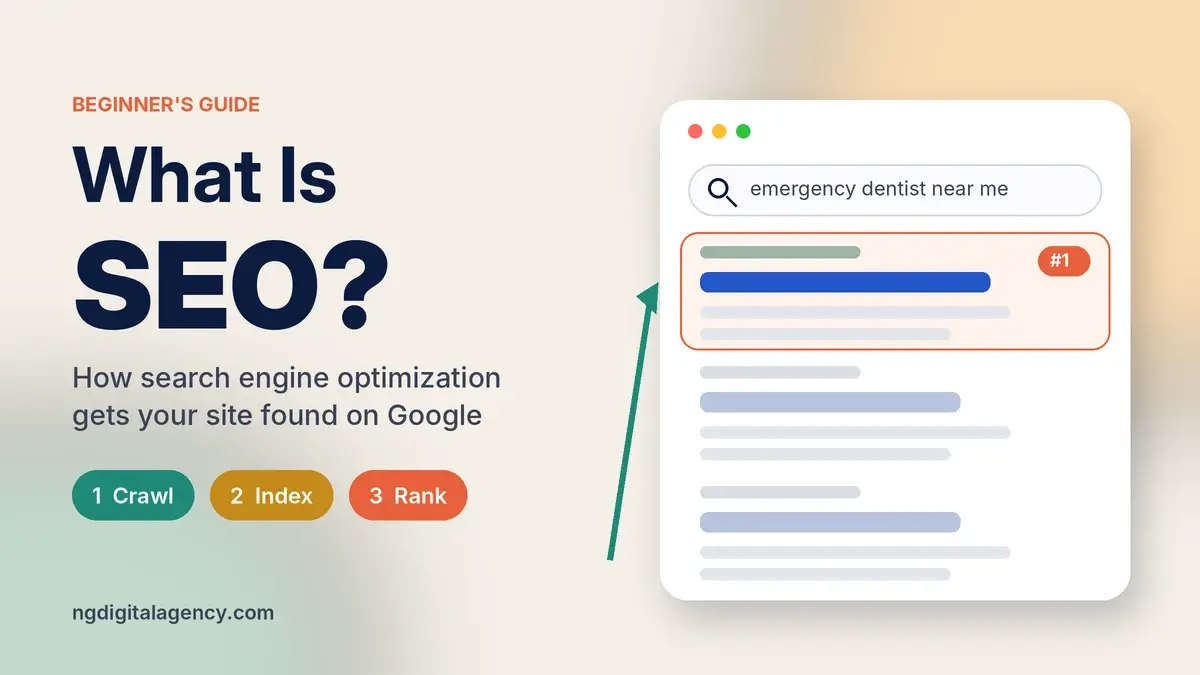
Google doesn’t search the live web when you type a query. It searches its own copy, built in three stages.
- Crawling. Automated programs, called crawlers or Googlebot, follow links from page to page and download what they find: text, images and video.
- Indexing. Google analyzes each page, works out what it’s about, and stores it in a huge database called the index. If several pages look the same, it picks one main version to show.
- Serving and ranking. When someone searches, Google pulls matching pages from the index and orders them by how relevant and useful they seem for that person, based on things like their location, language and device.
Two points surprise most beginners. First, not every page makes it through all three stages: a page can be crawled and still not indexed. Second, Google says plainly that it does not accept payment to crawl a site more often or rank it higher. Anyone who promises a guaranteed number-one spot is selling something Google itself can’t sell.
The three types of SEO
Almost every SEO task falls into one of three groups. You need all three, but not in equal amounts.
On-page SEO
On-page SEO is about the content and wording of each page. It’s where most small sites should spend most of their time.
- Answer the search. Work out what someone searching your keyword really wants, then answer it clearly near the top of the page.
- Use the words your customers use. A dentist might say “endodontic treatment”. Patients search “root canal”. Write for the patient.
- Write a clear title and meta description. These often become the headline and short summary people see in Google. Make each one unique and specific to the page.
- Use headings to organize the page so readers can scan it.
- Add descriptive alt text to images so search engines and screen readers know what each image shows.
- Link to related pages on your own site using descriptive link text, not “click here”.
Technical SEO
Technical SEO makes sure search engines can reach, read and store your pages. You don’t need to be a developer to understand the basics.
- Indexing: important pages must not be blocked by a stray
noindextag or robots.txt rule. - One URL per page: the same content at several addresses (with and without “www”, for example) should point to one main version.
- Speed and mobile: pages should load quickly and work well on a phone.
- A sitemap: a file listing the pages you care about, submitted in Google Search Console.
- HTTPS: a secure connection, which most hosts now include for free.
If you want to check these on your own site, our SEO audit checklist walks through each check in order, using free tools.
Off-page SEO
Off-page SEO covers signals that come from outside your site, mainly links from other websites. Google finds most new pages by following links, and a link from a respected site in your field acts a bit like a recommendation.
Common ways businesses earn links include publishing useful guides people want to cite, getting listed by local partners and associations, digital PR, and guest posts on relevant sites. Our beginner’s guide to link building explains the methods in detail.
One rule matters here. Google’s spam policies say buying links that pass ranking credit is link spam. Paid placements are fine when the link is marked with rel="sponsored" or rel="nofollow". Quality also beats quantity: one link from a real site with real readers is worth more than dozens from link farms. Before paying for any placement, learn how to check if a guest post site has real traffic.
What Google looks for when it ranks a page
Google uses many ranking signals and doesn’t publish a full list. Its own advice, though, keeps coming back to a few ideas.
- Relevance. Does the page match what the searcher meant, not just the words they typed?
- Helpful, original content. Google’s starter guide says compelling, useful content will likely influence your presence in search more than anything else in the guide. That means easy to read, up to date, and not a rewrite of what everyone else already published.
- Trust and experience. Content written by people who clearly know the topic, with sources where it makes claims.
- Usability. Pages that load, work on mobile, and aren’t buried under pop-ups or ads.
- Links. Other sites linking to you, which helps Google discover and judge your pages. Google is clear that links are one signal among many, not the whole story.
Example: how a dental clinic gets found
Here’s a realistic (illustrative) example of the three types working together.
A family dental clinic in Dallas has a good website, but almost nobody finds it on Google. The owner wants more calls for emergency appointments.
- Technical check. A quick look in Google Search Console shows the “Emergency Dentist” page isn’t indexed. A leftover
noindextag from the site’s redesign is telling Google to skip it. Removing it is a five-minute fix. - On-page fixes. The page talked about “urgent endodontic care”. The clinic rewrites it around what patients actually search: “emergency dentist in Dallas”, “tooth pain at night”, same-day appointments, opening hours, insurance accepted and a clear phone number at the top. The title becomes “Emergency Dentist in Dallas | Same-Day Appointments”.
- Local and off-page. The clinic completes its Google Business Profile, asks happy patients for reviews, and gets listed on its local dental association’s member directory.
- Measure. After a few weeks, Search Console starts showing impressions and clicks for emergency searches. Over the following months, the calls follow.
None of these steps is clever or secret. That’s the point: most SEO wins come from fixing basics that were quietly broken.
SEO myths Google has already answered
A lot of SEO advice online is outdated. Google’s own SEO starter guide addresses several popular ideas directly.
| Common belief | What Google says |
|---|---|
| “Add keywords to the meta keywords tag.” | Google Search doesn’t use the meta keywords tag at all. |
| “Repeat your keyword as often as possible.” | Excessive repetition is keyword stuffing, which is against Google’s spam policies. |
| “Long articles rank better. Aim for 2,000+ words.” | Length alone doesn’t matter for ranking. There’s no magic word count. |
| “Buy a domain with your keyword in it.” | Keywords in the domain or URL have hardly any ranking effect. Pick a name that’s good for your business. |
| “Duplicate content gets you penalized.” | The same content at several URLs on your own site is inefficient, not a penalty. Copying other sites’ content is a different matter. |
| “E-E-A-T is a ranking factor.” | Google says it isn’t. It’s a way of thinking about quality, not a score you can optimize directly. |
How long does SEO take?
There’s no fixed timeline. Google says some changes show up within a few hours and others take several months, and suggests waiting a few weeks before judging whether a change worked.
In practice, timing depends on how competitive your keywords are, how established your site is, and how much was broken to begin with. Fixing an indexing problem can pay off fast. Building enough authority to compete for a busy national keyword takes much longer.
The safest way to think about SEO is like fitness: steady work compounds, and quick fixes rarely last.
How to start with SEO this month
You don’t need expensive tools to begin. Work through these in order.
- Set up Google Search Console. It’s free and shows which searches bring people to your site, which pages are indexed, and any problems Google finds.
- Check that your key pages are indexed. Use the URL Inspection tool on your homepage and main service or product pages.
- Pick one keyword per important page. Think like a customer. What would they type to find this page?
- Improve those pages. Answer the search clearly, tighten the title and meta description, add a few internal links from related pages.
- Fix the obvious technical problems. Slow pages, broken links and pages that don’t work on a phone.
- Earn a few good links. Start with partners, suppliers, local associations and genuinely useful content. Quality first.
- Measure monthly. Compare clicks and impressions in Search Console, then repeat the cycle.
Should you do SEO yourself or hire help?
Many small sites can handle the basics themselves, especially with Google’s free tools. Doing it yourself makes sense if you have a few hours a week, a small site, and a willingness to learn.
Hiring help makes more sense when your site is large, technical problems are beyond your comfort zone, or your time is worth more running the business. Be wary of anyone who guarantees rankings: no honest SEO provider can, because Google decides rankings.
If you’d like a clear starting point, our SEO audit reviews your site’s technical and on-page health and gives you a list of fixes in order of impact, which you can carry out yourself or hand to someone else.
FAQs
What does SEO stand for?
SEO stands for search engine optimization. It also describes a person who does this work, as in “we hired an SEO”.
Is SEO free?
You don’t pay Google for organic rankings, so the clicks are free. The work itself still costs time or money, whether that’s your own hours, content writing, or hiring an expert.
What are the main types of SEO?
The three main types are on-page SEO (content and wording), technical SEO (how search engines access and store your site), and off-page SEO (mostly links and mentions from other websites). Local SEO for businesses that serve a specific area combines all three.
Can I do SEO myself?
Yes. Google Search Console, PageSpeed Insights and Google’s own SEO starter guide are free. Most small business owners can handle the basics with a few hours a month.
Is SEO still worth it with AI search results?
Yes. AI features in search still draw on web pages Google has crawled and indexed, and people still click through to sites for detail, prices and services. Clear, helpful, well-organized pages are what both regular results and AI summaries rely on.
How is SEO different from SEM?
SEM (search engine marketing) is the broader term for getting visibility in search, and it usually includes paid ads. SEO is the unpaid, organic part of SEM.
The short version
SEO is making your site easy for Google to find, understand and trust, and making your pages worth clicking. Get the basics right first: indexed pages, content that answers real searches, a fast mobile-friendly site, and a handful of genuine links. Then keep improving.
When your site is ready to grow its authority, start with our SEO audit, then see how our guest posts work on traffic-checked sites.