

The easiest way to check your backlinks for free is Google Search Console: open the Links report to see which sites link to you, which pages they link to and what anchor text they use. For a second view, add Bing Webmaster Tools or Ahrefs Webmaster Tools, both free for sites you verify.
This guide walks through each free option, shows what each one can and cannot tell you, and gives you a simple monthly routine. If you are new to links, our beginner’s guide to link building explains the basics.
How to check backlinks for free: the quick answer
- Verify your site in Google Search Console and open Links.
- Look at Top linking sites, Top linked pages and Top linking text.
- Export the latest links to a sheet.
- Compare with a second free tool, because no single tool sees every link.
- Open the most important linking pages yourself and check them.
That is enough for most small and mid-size business sites.
Free backlink tools compared
| Tool | What you can see | Main limit | Best for |
|---|---|---|---|
| Google Search Console | Linking sites, linked pages, anchor text, export | A sample, not every link. Does not show nofollow. May include removed links | Your own site, first stop |
| Bing Webmaster Tools | Linking sites, linking pages and anchor text | Needs a verified site and a Microsoft account | A second view of your own links |
| Ahrefs Webmaster Tools | Backlinks with domain and page metrics | Verified sites only. Up to 1,000 backlinks visible at once | Sorting and filtering your links |
| Free quick checkers | A summary and a small list for any domain | Small, capped samples | A fast look at a competitor |
Limits come from each tool’s own page as of November 2026 and can change.
Method 1: Google Search Console
Search Console is Google’s own free tool, so it is the most useful starting point. You need to verify that you own the site first.
- Open the report. In Search Console, choose your property and click Links in the left menu.
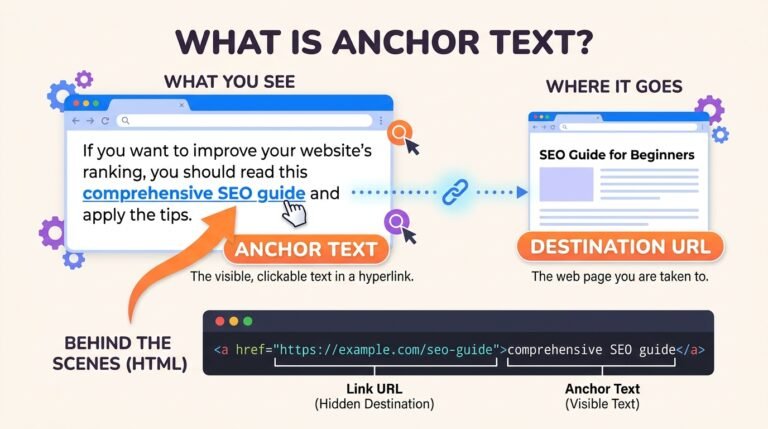
- Read the external links tables. Top linked pages shows your pages with the most backlinks. Top linking sites shows the domains that link to you most. Top linking text shows the most common anchor text.
- Drill down. Click a page to see which sites link to it, or click a site to see which of your pages it links to.
- Click MORE under a table to see the full list.
- Export. Use the export button at the top of the report. You can download the latest links or more sample links as a CSV file or Google Sheet.
Know the limits. Google’s Links report help page says the report is a sample rather than every link, tables show up to 1,000 rows, nofollow is not marked and removed links can still appear for a while. Treat it as a strong guide, not a complete census.
Method 2: Bing Webmaster Tools
Bing Webmaster Tools is free and has its own Backlinks report. It lists the sites that link to you, and you can open each one to see the linking pages and anchor text.
Bing finds links with its own crawler, so it often shows links Search Console does not, and the other way around. Use it as a second opinion. You will need a Microsoft account and a verified site.
Method 3: Ahrefs Webmaster Tools
Ahrefs Webmaster Tools is a free version of Ahrefs for sites you verify. It shows the websites and pages that link to you along with Ahrefs’ own metrics, and lets you sort and filter the list. The free version shows up to 1,000 backlinks at a time.
Ahrefs’ scores, such as Domain Rating, are third-party estimates. Google does not use them, so use them to sort, not to judge.
Method 4: free quick checkers and Google searches
Free backlink checkers from SEO tool companies let you type any domain and see a short summary and a small list of links. They are handy for a quick look at a competitor, but the lists are capped, so do not treat them as complete.
You can also search Google for your brand name and exclude your own site, for example "Your Business Name" -site:yourdomain.com. This finds mentions that may not link to you yet. A friendly request can turn some of them into links. The old link: operator is not a reliable way to check backlinks.
How to check if a link is nofollow or sponsored
Search Console does not show labels, so check important links by hand.
- Open the linking page and find your link.
- Right-click the link and choose Inspect.
- Look at the
relvalue.nofollow,sponsoredorugcmeans the link is labeled. Norelvalue means an ordinary link.
Google explains these labels in its guide to qualifying outbound links, and our guide to types of backlinks covers what each one means for you.
What to look for once you have the list
- Relevance. Do the linking sites relate to your business or your area?
- Real sites. Open a few. Do they have real articles and real readers?
- Anchor text. Mostly your brand name and descriptive phrases is healthy. Many identical keyword anchors is a warning sign.
- Target pages. Are links pointing to pages that still exist? Links to deleted pages are wasted. Our SEO audit checklist shows how to rescue them with redirects.
- Surprises. Domains you do not recognize, sudden spikes or foreign-language spam.
To score individual links, use the seven checks in what makes a good backlink. If the list shows you need more relevant links and you would rather not do the outreach yourself, our guest post service places links on vetted sites.
What to do about bad backlinks
Most sites collect some random low-quality links. Google’s disavow help page says most sites do not need the disavow tool, because Google can usually tell which links to trust.
- Ignore random spam that you did not create.
- Ask for removal of links you or a past agency paid for or created to manipulate rankings, or ask for the
sponsoredlabel. - Disavow only when there are many spammy or artificial links that have caused, or are likely to cause, a manual action, after you have tried to remove them.
A 20-minute monthly routine
- Open the Search Console Links report and note the number of linking sites.
- Export the latest links and add new ones to your sheet with the date.
- Open the three most important new links and check relevance and labels.
- Check that your most linked pages still load.
- Every quarter, compare with Bing Webmaster Tools or Ahrefs Webmaster Tools.
This routine is our own suggestion, not a Google rule. It fits a small business and catches problems early.
Worked example: a Charlotte bakery
This is an illustration, not a real client. A bakery in Charlotte checks its links for the first time.
| Finding | What it means | Action |
|---|---|---|
| A local food blog links to the wedding cakes page | Relevant, real, editorial | Keep. Thank the blogger |
| The chamber of commerce links to the homepage | Relevant local link | Keep |
| An old directory links to a deleted “/specials” page | Wasted link | Redirect “/specials” to the current menu page |
| Forty links from unrelated foreign-language sites | Random spam | Ignore. No action needed |
| A local news story mentions the bakery but does not link | Missed link | Send a short thank-you and ask for a link |
In one session, the bakery fixes one wasted link and finds one new link to request, without spending anything.
Frequently asked questions
How can I check my backlinks for free?
Use Google Search Console’s Links report. It shows your top linking sites, linked pages and anchor text, and you can export the data. Add Bing Webmaster Tools or Ahrefs Webmaster Tools for a second view.
Does Google Search Console show all backlinks?
No. Google says the report is a sample, not a full list. It is still the best free source for your own site.
Why do different tools show different numbers of backlinks?
Each tool uses its own crawler and database, and each finds and keeps different links. Look at trends and important links, not one total.
Can I check a competitor’s backlinks for free?
Partly. Free quick checkers show a short list for any domain. Full competitor data usually needs a paid tool.
How often should I check my backlinks?
Once a month is enough for most small business sites, with a deeper review every quarter.
Should I disavow bad backlinks?
Usually not. Google says most sites do not need the disavow tool. Use it only for many spammy or artificial links linked to a manual action, after trying to get them removed.
The short version
Start with Google Search Console, add one more free tool for a second view, and open your most important links yourself. Check relevance, labels and target pages once a month, fix wasted links, and leave random spam alone.
Want more links worth finding in that report? Talk to NextGen Digital about a guest post plan.
Related guides