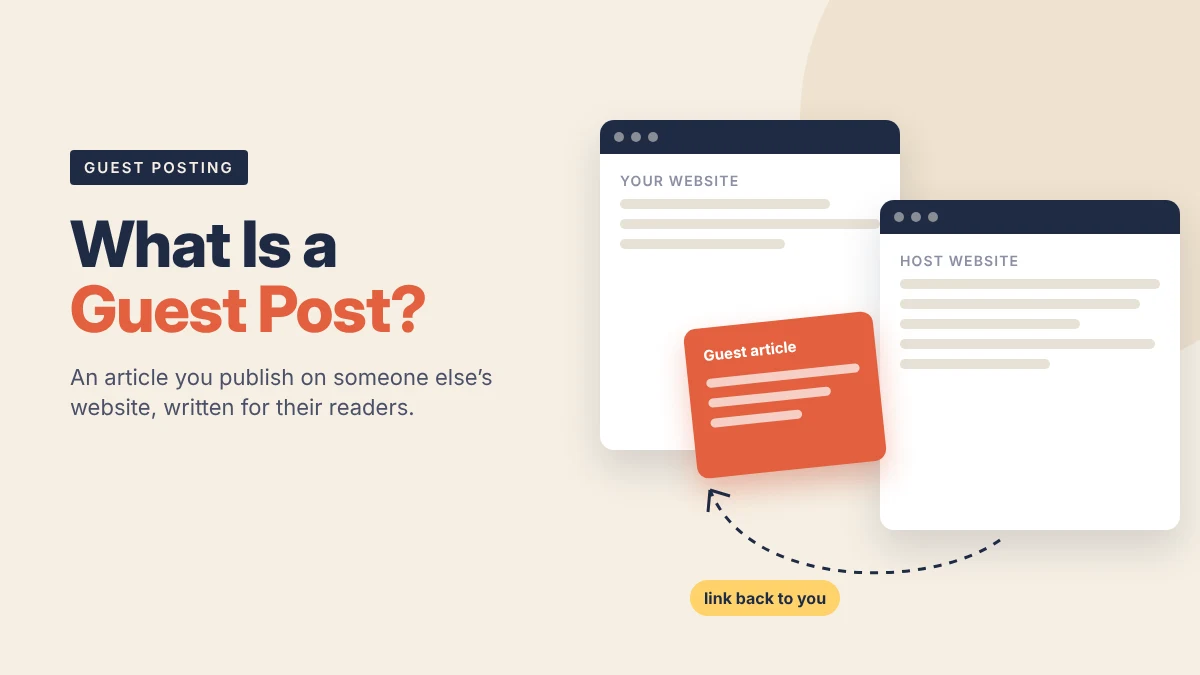


A guest post is an article you write for someone else’s website, published under your name or your brand’s. It usually includes a link back to your own site, either in the article itself or in a short author bio.
That’s the whole idea. The site owner gets a useful article for their readers. You get in front of their audience, and you may earn a link that helps search engines find and trust your pages.
The details are where people get into trouble: how the link is placed, whether money changed hands, and whether the site has real readers at all. This guide covers all of it in plain English.
What a guest post is (and what it isn’t)
A guest post is content written by an outside contributor, not the site’s own staff. It’s published on the host site, follows the host’s style, and is written for the host’s readers.
The term overlaps with two other things people buy and sell, which causes a lot of confusion.
Guest post vs sponsored post vs link insertion
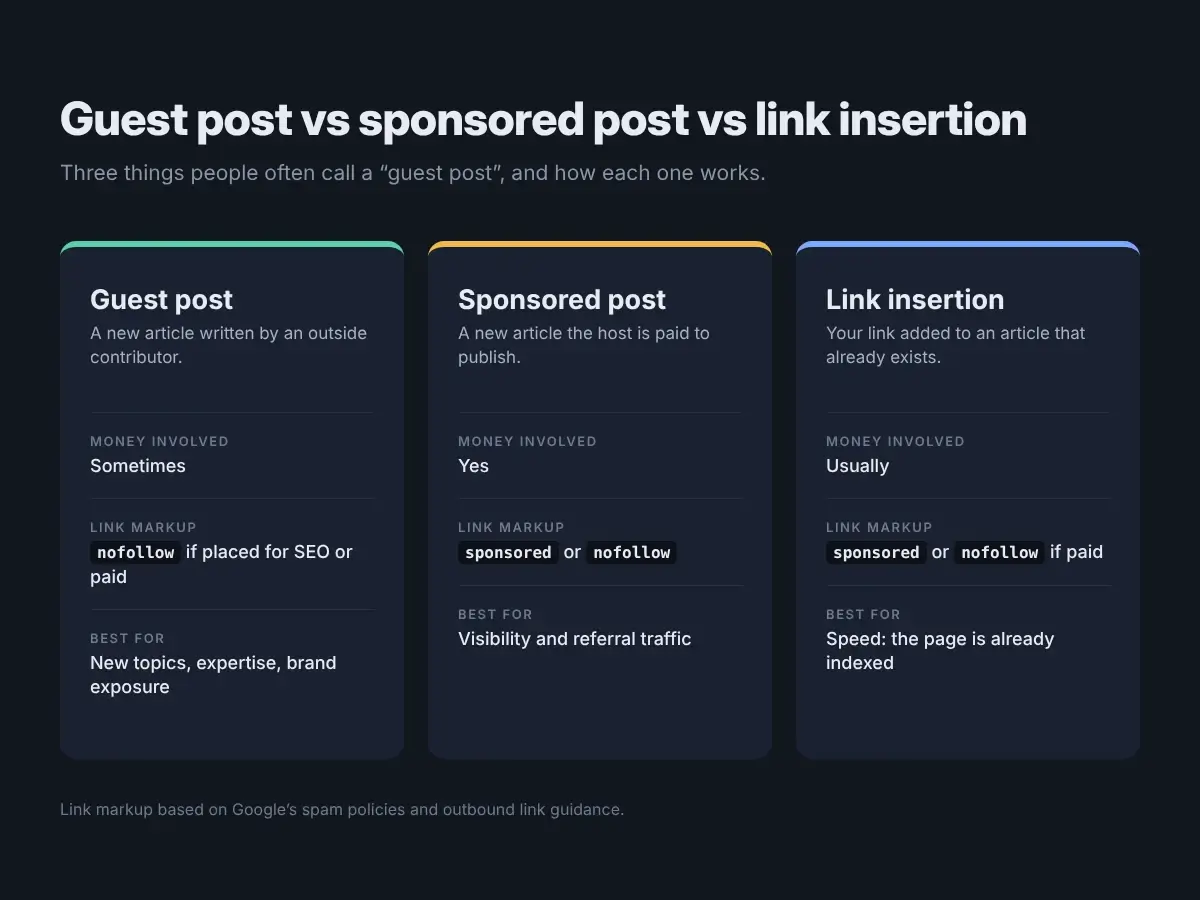
| Guest post | Sponsored post | Link insertion | |
|---|---|---|---|
| What it is | A new article by an outside writer | A new article the host is paid to publish | Your link added to an article that already exists |
| Who writes it | You, your agency, or the host’s writer | Usually the buyer or their agency | Nobody new; one sentence is edited |
| Money involved? | Sometimes, sometimes not | Yes | Usually yes |
| How Google wants the link marked | nofollow if it’s placed for SEO or paid for |
sponsored or nofollow |
sponsored or nofollow if paid |
| Best for | New topics, brand exposure, expertise | Visibility and referral traffic | Speed; the page is already indexed |
In practice, most “guest posts” sold online are sponsored posts. That isn’t automatically bad. It just changes how the link should be marked, which we cover below.
How a guest post works, step by step
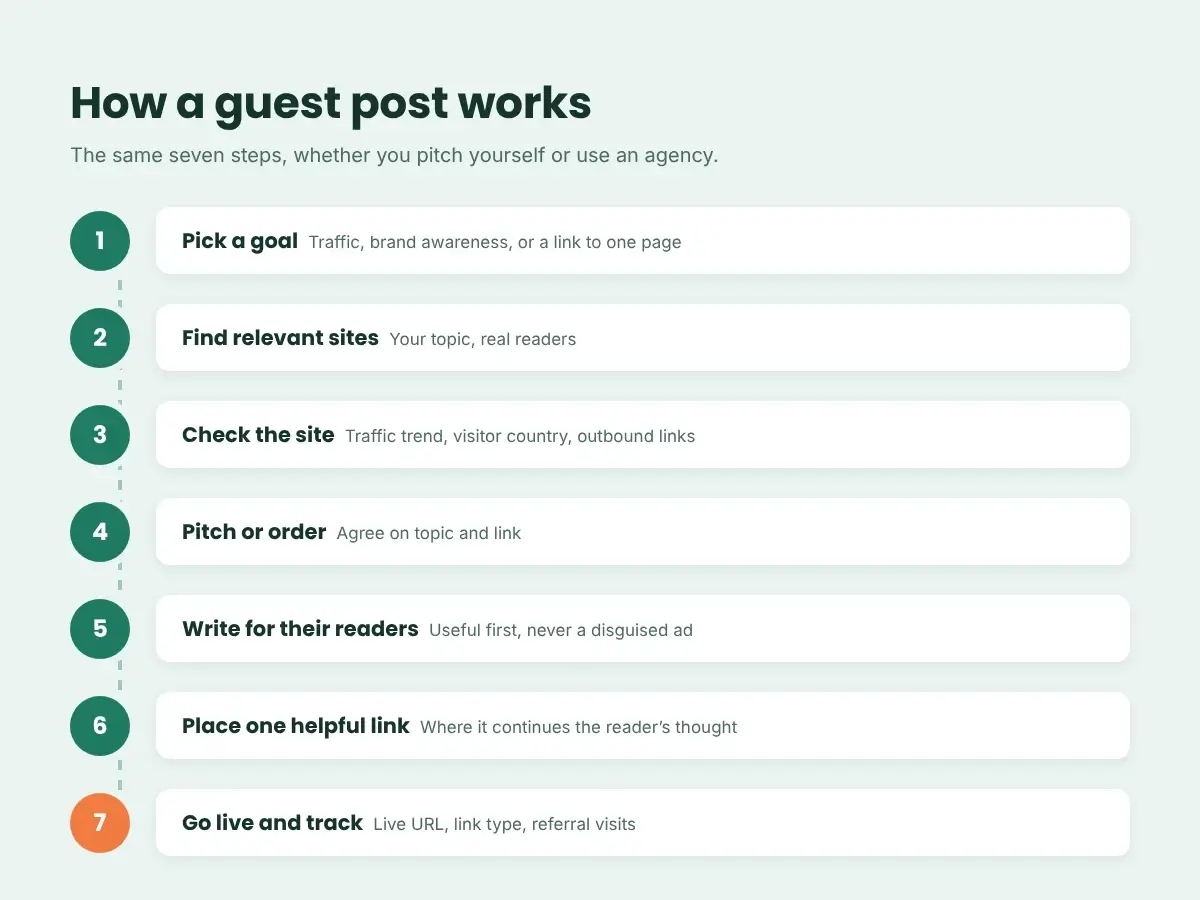
Most guest posts follow the same path, whether you pitch the site yourself or work through an agency.
- Pick a goal. Referral traffic, brand awareness, a link to a specific page, or all three. The goal decides which sites make sense.
- Find relevant sites. Look for sites that cover your topic and have real readers. Relevance matters more than any single metric.
- Check the site. Look at its organic traffic trend, where visitors come from, and who else it links to.
- Pitch or order. For editorial sites, send a short pitch with two or three topic ideas. For sites that sell placements, you agree on price, topic and link.
- Write for their readers. The article should fit the host’s style and teach something useful. A disguised ad gets rejected or ignored.
- Place one link where it helps. Link to a page that expands on what the reader is learning at that point.
- Go live and track it. Record the live URL, the link type, and the referral traffic it sends over the next few months.
Example: a roofing company’s first guest post
This is an illustrative example, not a client case.
A roofing contractor in Ohio wants more homeowners to find its guide on choosing a roofing material. It finds a home improvement blog with steady US traffic and articles about exterior repairs.
Instead of pitching “Why you should hire us,” it offers “5 Signs Your Roof Needs Repair Before Winter.” The article is useful on its own. In the section about worn shingles, it links to the contractor’s material guide with the anchor “how different roofing materials hold up.”
The blog’s readers get a practical checklist. The contractor gets relevant visitors and a link from a site in its own field. Nothing about the article reads like an ad.
Why businesses still use guest posts
Guest posting has been around for a long time, and it still earns a place in many marketing plans for four reasons.
- Links from relevant sites. Google says it uses links as one factor in judging how relevant pages are. A link from an article in your niche is a meaningful signal.
- Referral traffic. Readers who click through from a related article are often closer to what you sell than a cold visitor.
- Borrowed audience. A well-read site puts your name in front of people who have never heard of you.
- Proof of expertise. Bylined articles on respected sites give prospects something to check when they research you.
What guest posts won’t do is fix a weak website. If your pages load slowly, aren’t indexed, or don’t answer the searcher’s question, links have little to work with. Run through an SEO audit checklist before link building first.
What Google says about guest posts and links
This is the part most guides skip.
Google’s spam policies define link spam as creating links mainly to manipulate rankings. Its examples include paying for links or for posts that contain links, and links with optimized anchor text in guest posts distributed on other sites.
The same policy says buying and selling links is a normal part of web advertising. Paid links are allowed when they’re marked with rel="nofollow" or rel="sponsored".
In plain terms:
- Guest posting itself is not against the rules.
- Mass-producing guest posts to push keyword links at your money pages is.
- If you paid for the placement, the link should carry
sponsoredornofollow.
Which link attribute to use
Google’s guide to qualifying outbound links explains the options. Here’s the short version:
| Situation | Attribute |
|---|---|
| You paid for the post or the link | rel="sponsored" (or nofollow) |
| Unpaid guest post where the link was the point | rel="nofollow" |
| The editor added your link on their own because it helps readers | No attribute needed |
A marked link still sends readers and still puts your brand on a relevant site. Many businesses decide that’s worth paying for on its own.
What makes a guest post worth it
Before you write or pay for anything, check four things:
- Real organic traffic. A steady or growing traffic line, not a spike and a crash. A high Domain Rating with no visitors is a warning sign.
- Topic fit. The site should cover subjects your customers care about. A pet blog linking to a payroll tool looks odd to readers and to Google.
- Clean outbound links. If every post links to casinos, loans and unrelated shops, the site is selling links in bulk.
- Editorial standards. Recent articles should be written for people, with named authors and a clear focus.
We go deeper on each check in how to tell if a guest post site has real traffic.
If you’d rather not vet sites yourself, our guest post service only lists sites we’ve checked for traffic, topic and outbound links.
Choosing anchor text
Anchor text is the clickable wording of your link. It’s also where many guest posts cross the line Google draws.
- Brand or URL anchors (“NextGen Digital”, “ngdigitalagency.com”) are the safest choice for most links.
- Descriptive anchors (“guide to choosing roofing materials”) read naturally and still tell readers what they’ll get.
- Exact-match keyword anchors (“best roofing company Ohio”) are the pattern Google’s policy calls out. Use them rarely, if at all.
If you would be uncomfortable showing the sentence to a reader, rewrite it.
Common mistakes
- Chasing metrics. Buying placements because of a high DR, not because real people read the site.
- Writing ads. Articles that exist only to hold a link don’t get read, and editors on good sites reject them.
- Same anchor everywhere. Repeating one keyword anchor across many posts leaves an obvious footprint.
- Hiding the payment. Leaving paid links unmarked puts both your site and the host site at risk.
- Linking to the wrong page. Send readers to the page that continues what they were reading, not always your homepage or a sales page.
Is guest posting right for you?
Guest posting tends to work well if you have pages worth linking to, a clear niche, and patience. Results build over months, not days.
It’s a weaker fit if your site has technical problems, you have no useful content to link to yet, or you expect rankings to jump from a handful of links. In those cases, fixing the site or publishing better pages usually comes first.
FAQs
Is guest posting still worth it?
Yes, when the host site has real readers in your niche and the article is genuinely useful. It’s not worth it as a volume game of low-quality posts built only for links.
Is it against Google’s rules to pay for a guest post?
Paying for a guest post isn’t banned. Paying for a link that passes ranking credit is. If you pay, Google asks that the link be marked rel="sponsored" or rel="nofollow".
Do nofollow or sponsored links help at all?
They still send referral visitors and build brand recognition. Google treats these attributes as hints rather than strict rules, but you shouldn’t count on a marked link to pass ranking value.
Where does the link usually go?
Either in the body of the article or in the author bio. A link in the body, placed where it helps the reader, is usually more useful and gets more clicks.
How long should a guest post be?
As long as the host’s typical articles and the topic require. Requirements vary a lot from site to site, so check the host’s contributor guidelines before you write.
What’s the difference between guest posting and guest blogging?
Nothing meaningful. Both terms describe writing an article for a site you don’t own.
The short version
A guest post is an article you publish on someone else’s site. It’s worth doing when the site has real readers, the topic fits your business, the article helps those readers, and any paid link is marked the way Google asks.
Ready to try one? See how our guest posts work, or order a researched article and pitch it yourself.